)

)
AI Tented Event Design: See Your Tent Before Booking It
New ProductsDesign your tented event before a single stake goes in the ground.
September 14, 2026
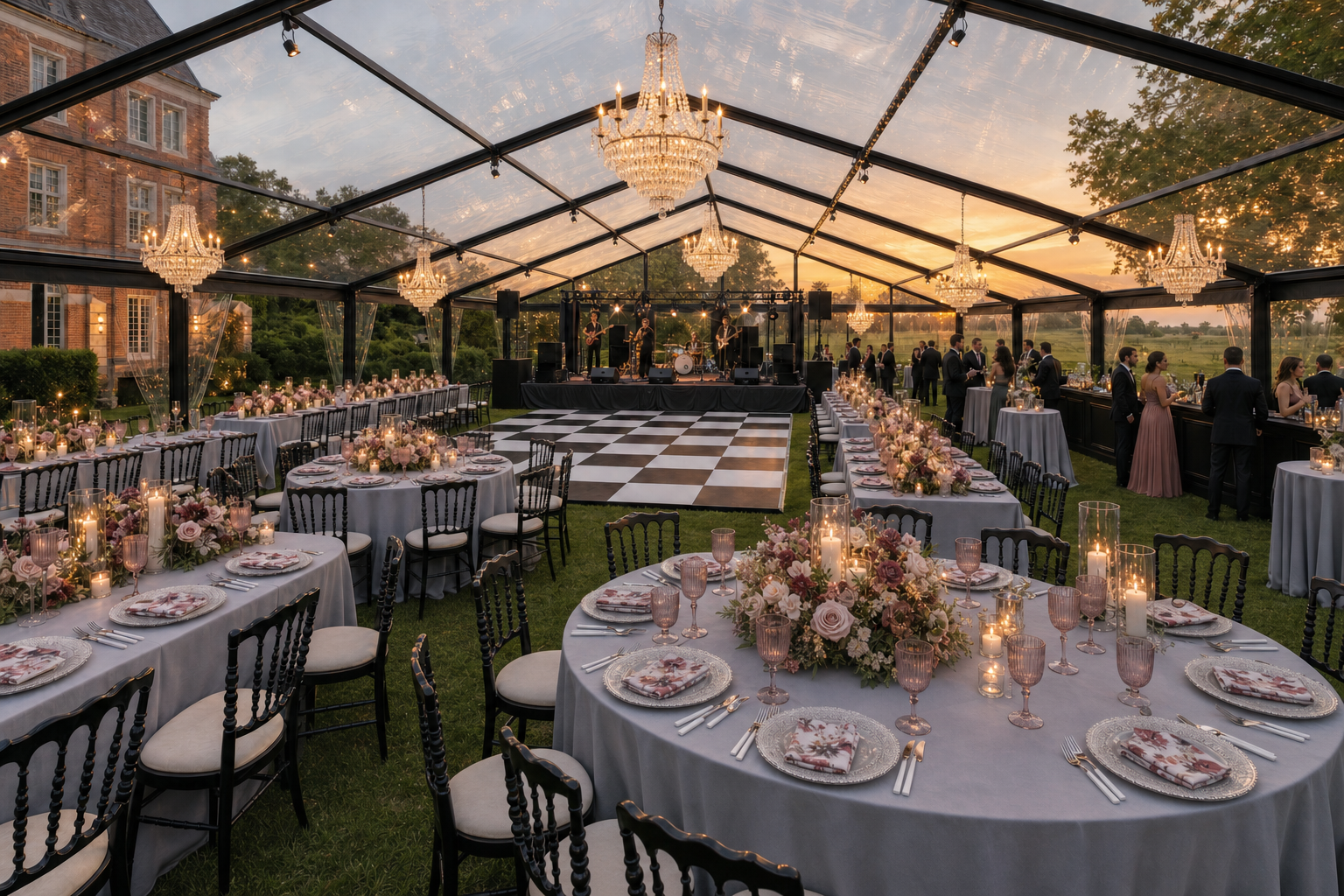
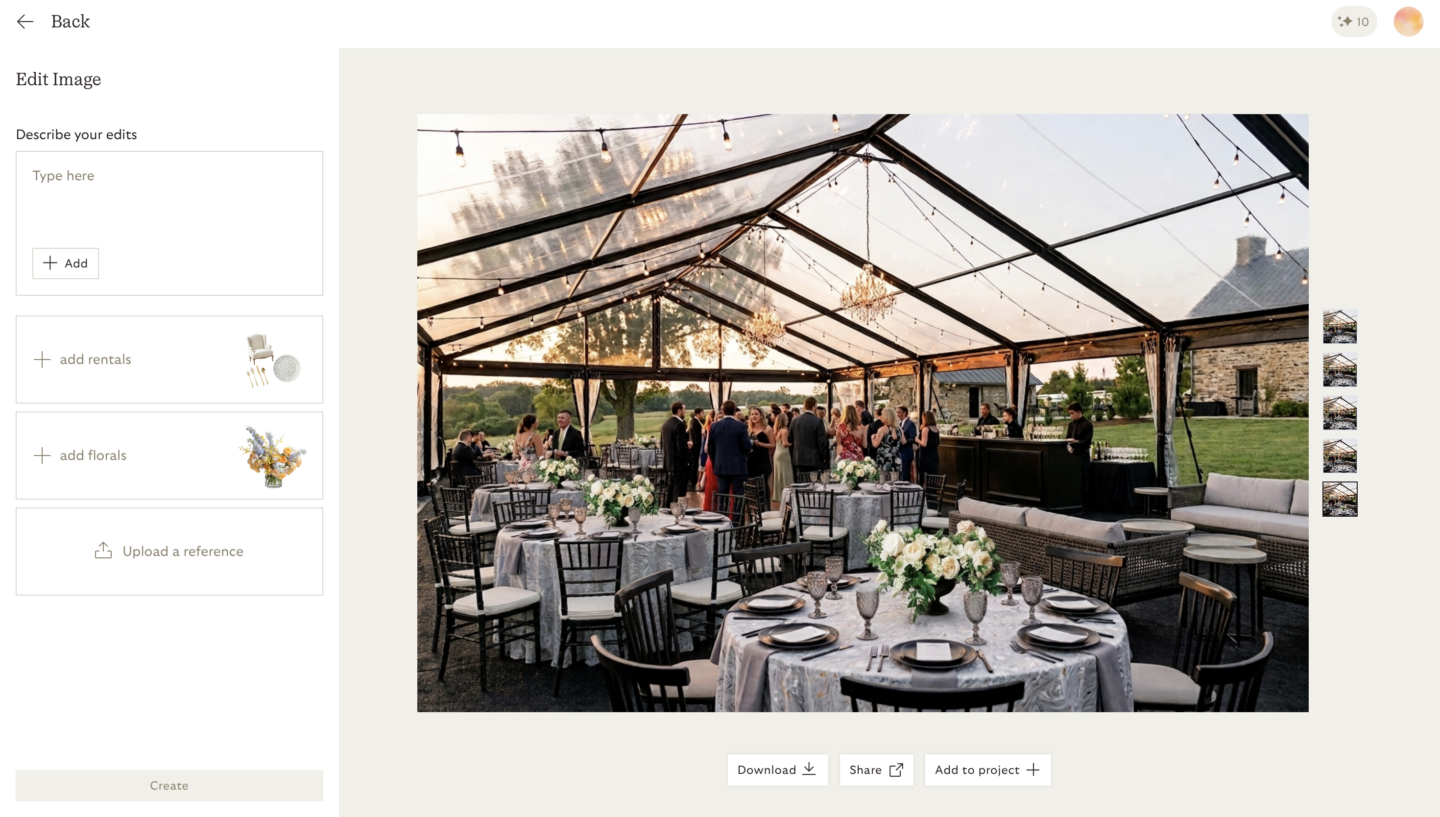
AI tented event design solves the hardest thing on an event floor to picture. A tabletop you can imagine. A forty-by-eighty structure on a sloping lawn at sunset, with the dance floor in the right place and the sidewalls doing what you hoped they would do, is another thing entirely. June AI gives you a way to search our inventory, build your look, and see your rentals inside your actual venue before committing to anything.
That is what the tenting side of June AI is for. Tents, structures, flooring and the pieces that go under them can be rendered into your space the same way the rest of our inventory can — which means the conversation with your Account Executive starts from a picture instead of a paragraph.
New to the tool? Start with our introduction to the AI event design tool, then come back here for the tenting side.
Start Designing: Mid-Atlantic | Southeast
How it works
The flow is the same one you already know, with tenting inventory added to it:
Search our tenting inventory
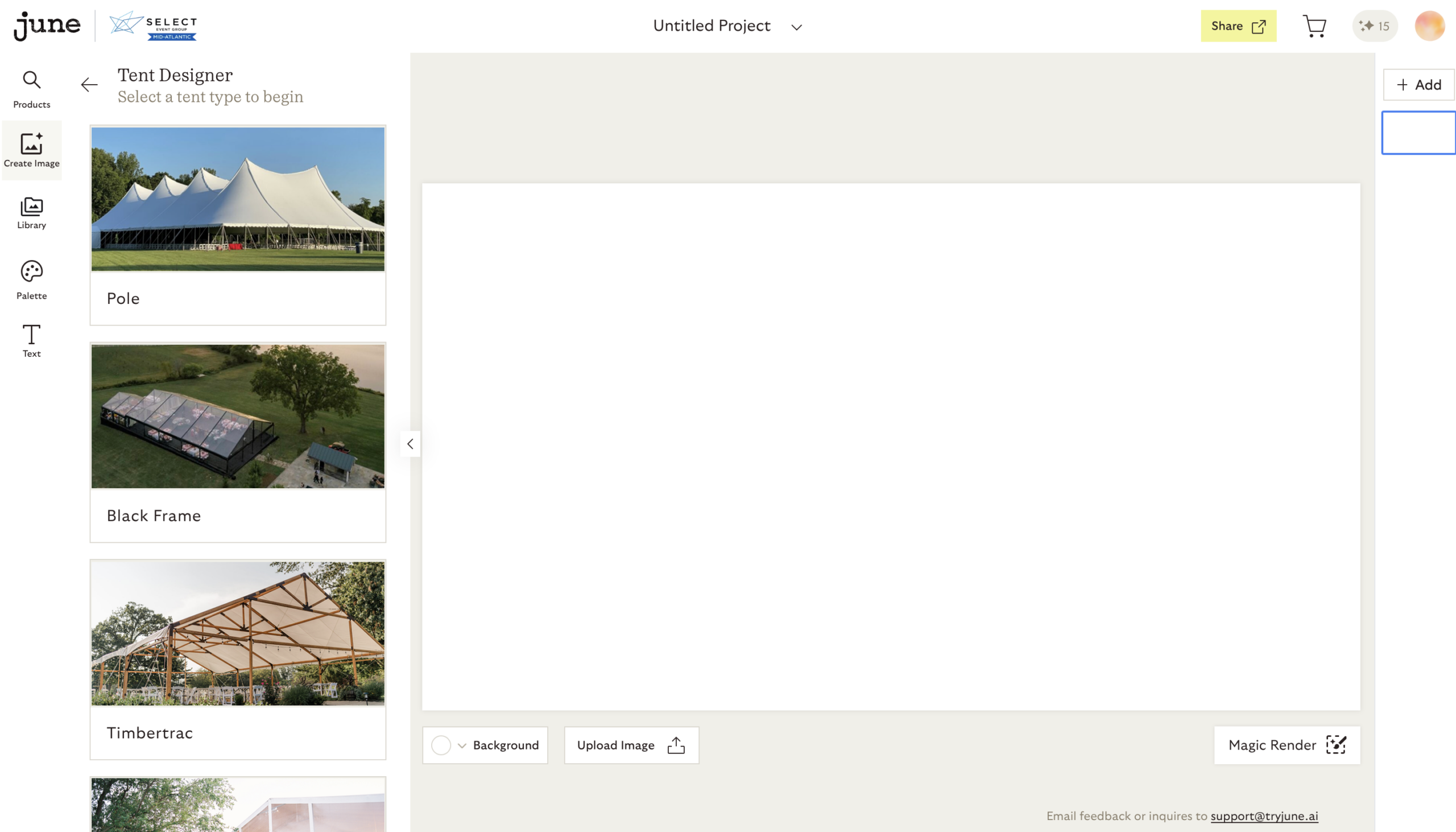
Select the products to add to your project
Pick the tent or structure first, then flooring, lighting, seating, bar, and tabletop.
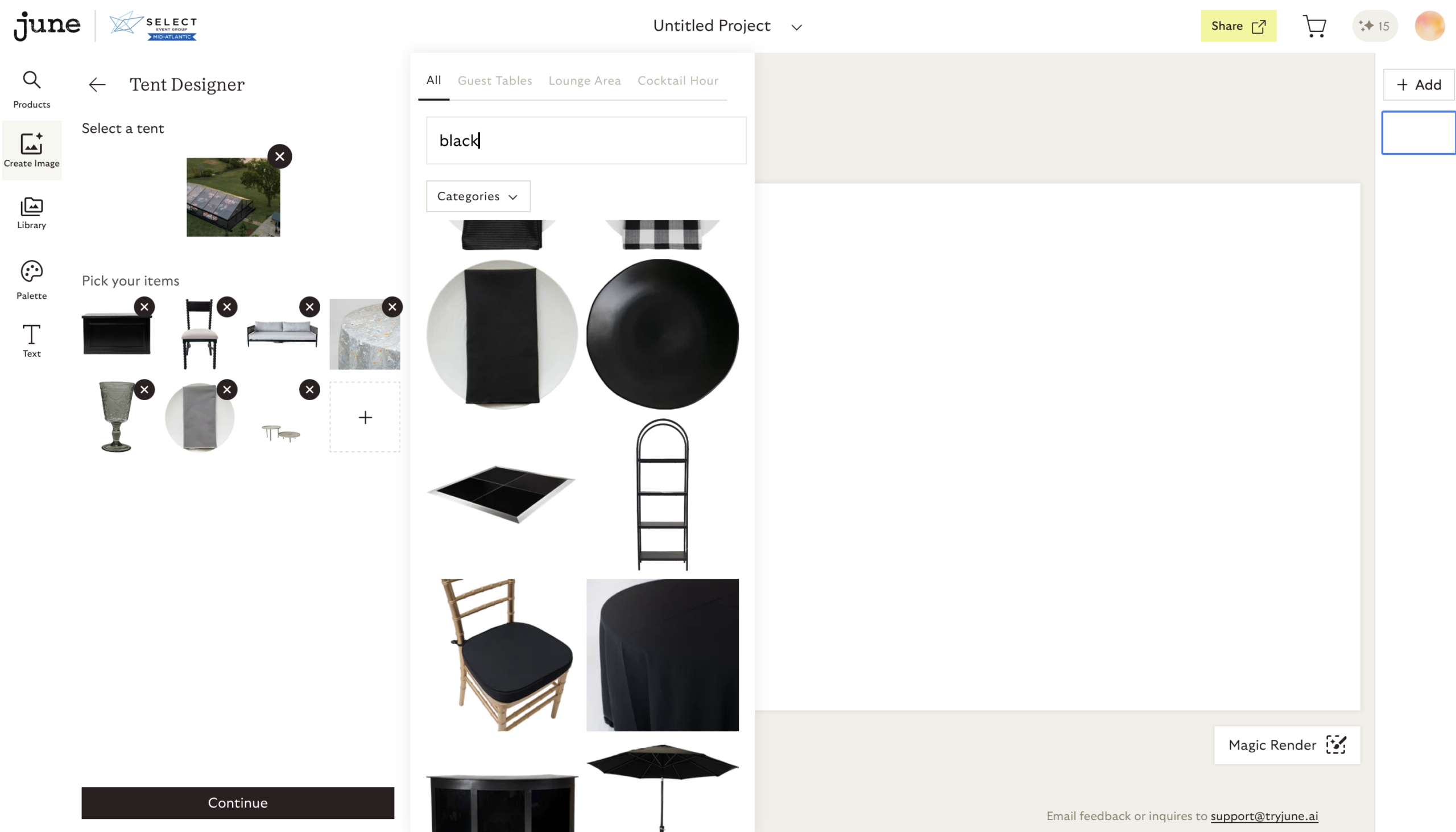
Describe the scene you are building, in plain language
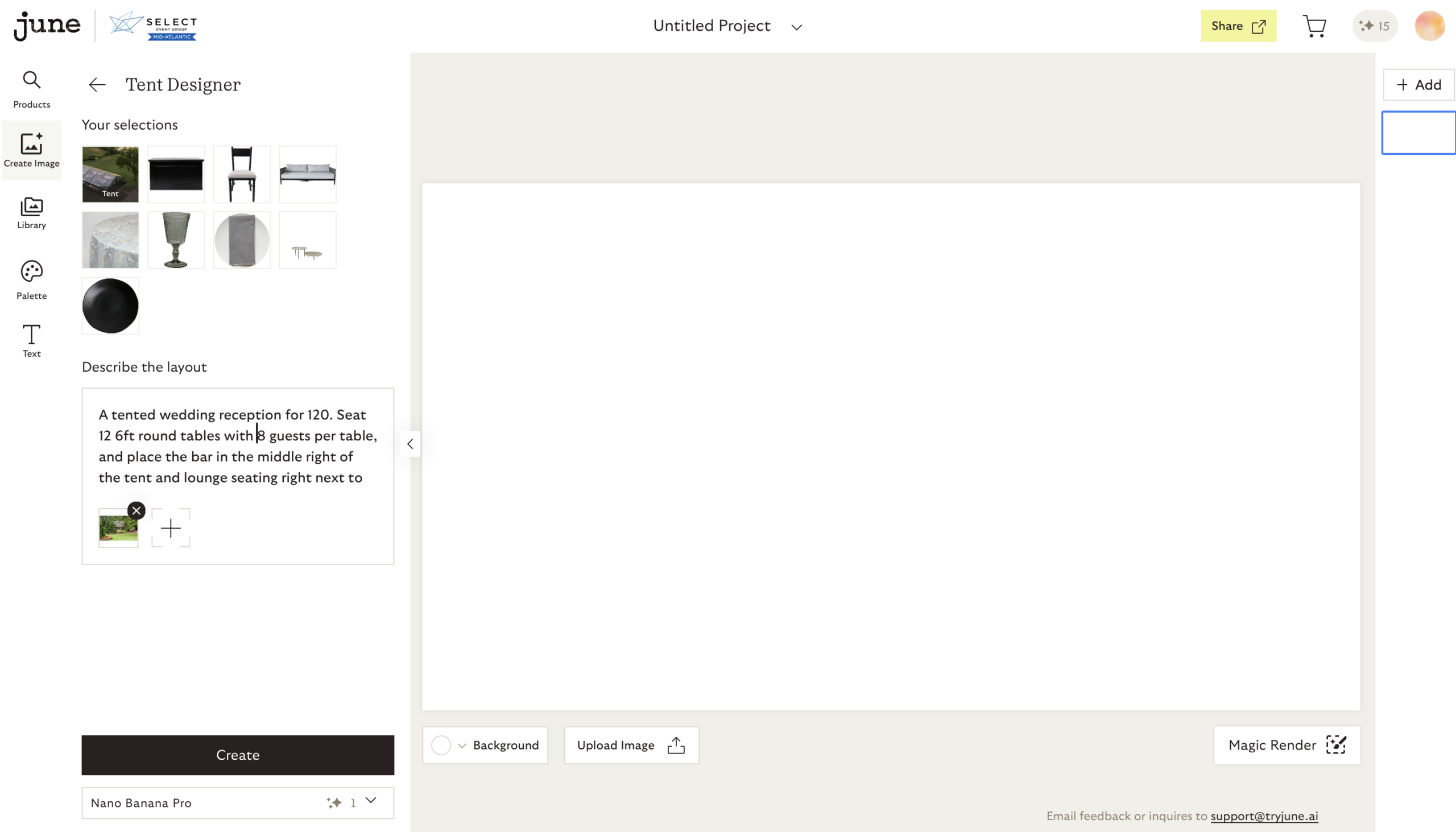
Generate a photo-realistic render
With one click, turn your selections into a polished, photo-realistic image of your design concept. It’s the closest thing to seeing your event before it happens.
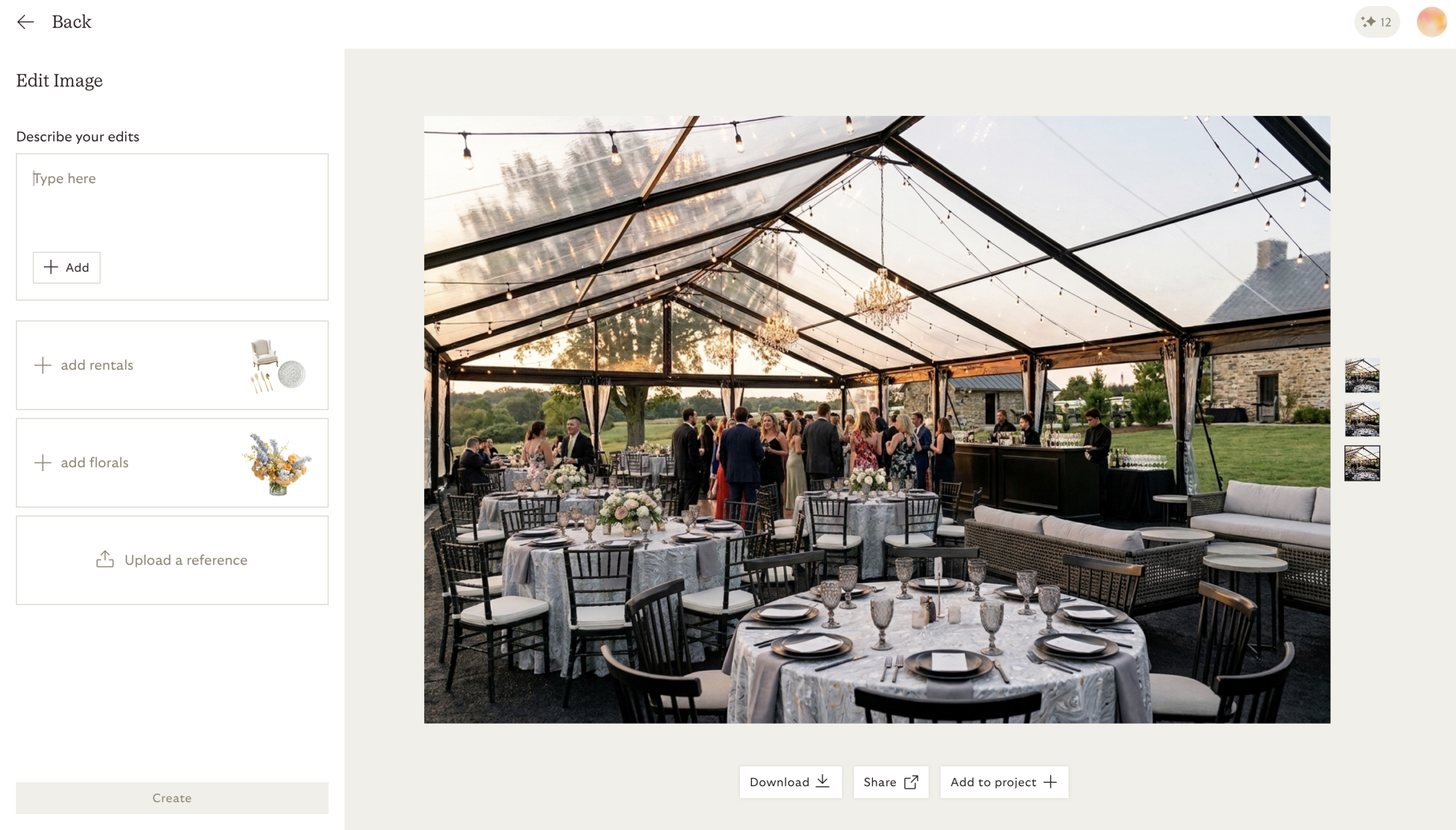
Share it with your Account Executive and make it real
Once you’ve landed on a design you love, share the image with your Account Executive, and they’ll turn your vision into a real, detailed quote.
Have a question before you dive in? Reach out to our team, we’re happy to walk you through it.
You may not even need a photo of the site
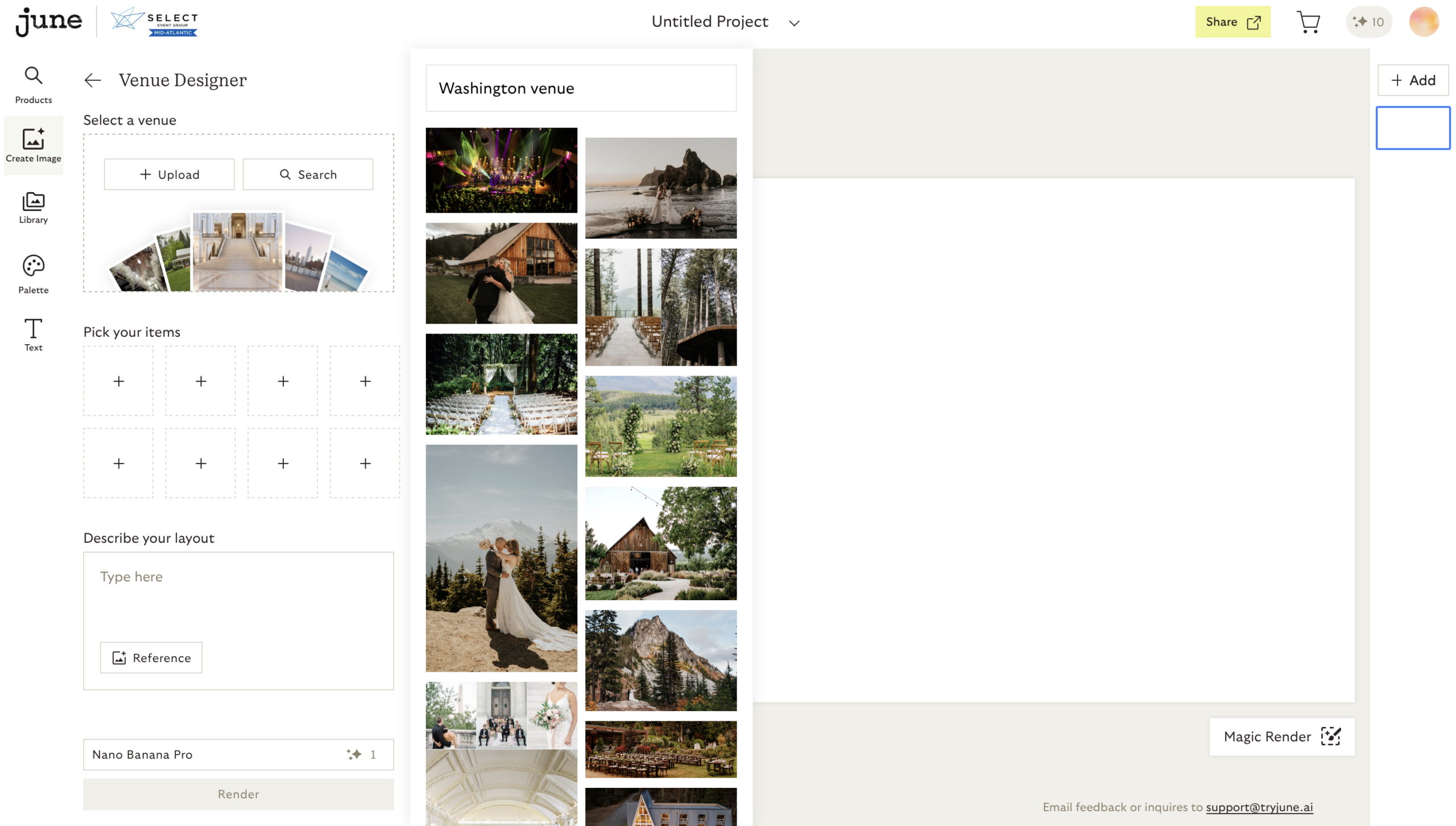
One of the most useful things about the tool is also the least obvious. You can search for your venue by name and June AI will pull multiple images of it from the web, which takes an entire step out of the process. If none of them look right, or if you are tenting a private estate, a backyard or a field that has never hosted an event before, upload your own photo and design straight into it.
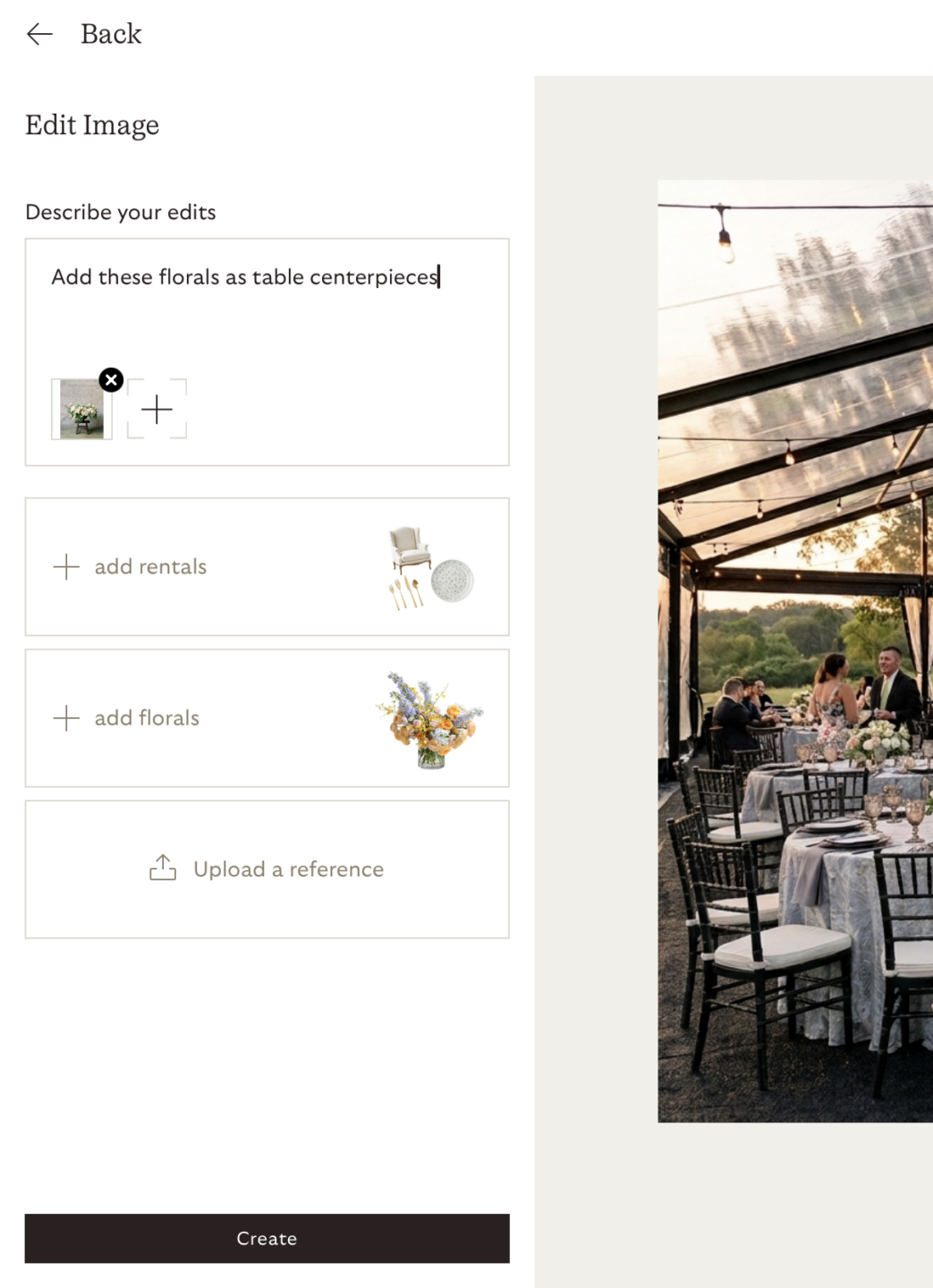
The same flexibility applies to the details. If there is a piece you are bringing to the day yourself — a centerpiece you already have your heart set on, a family heirloom, something a florist is building for you — upload an image of it and use it as a reference. Your render can include the things that make the event yours, not only the pieces that come off our truck.
Writing a prompt that gets it right the first time
Everything comes down to how specifically you describe what you want. The tool builds what you describe, so naming real products and real conditions gets you far closer on the first try. Here is the same tented event asked for three different ways.
| What you type | What you get |
| “Create a nice tented corporate event.” | Something generic. There is no guest count, no style, no inventory, no colors, no layout and no atmosphere, so the tool fills in all of it for you. |
| “Create a polished tented corporate reception for 150 guests. Use warm lighting, lounge seating, cocktail tables and a neutral color palette.” | Much closer. The event type, guest count, key products and design direction are all there. |
| “Create a polished tented corporate reception for 150 guests. Include a clear-top structure, warm perimeter lighting, neutral lounge furniture, cocktail tables, a branded entry area and realistic guest flow.” | A render you can plan from — specific inventory, a layout, a tone, and a sense of how people will move through the space. |
Have a vision in mind? Let’s bring it to life.
A tented reception prompt you can borrow
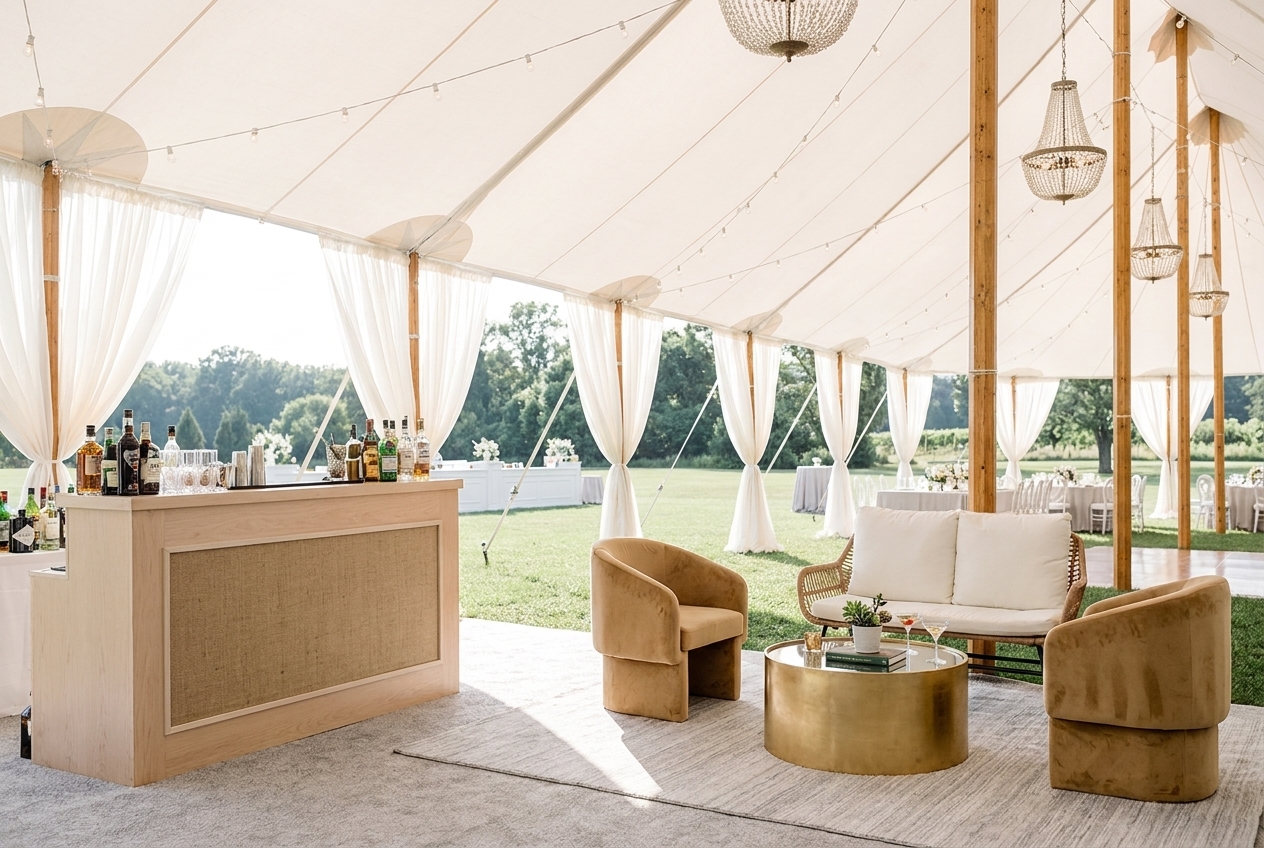
Once your project is built, this is a starting point for a wedding under canvas. Fill in the brackets and paste it straight in — no need to name the products again, since they are already in your project.
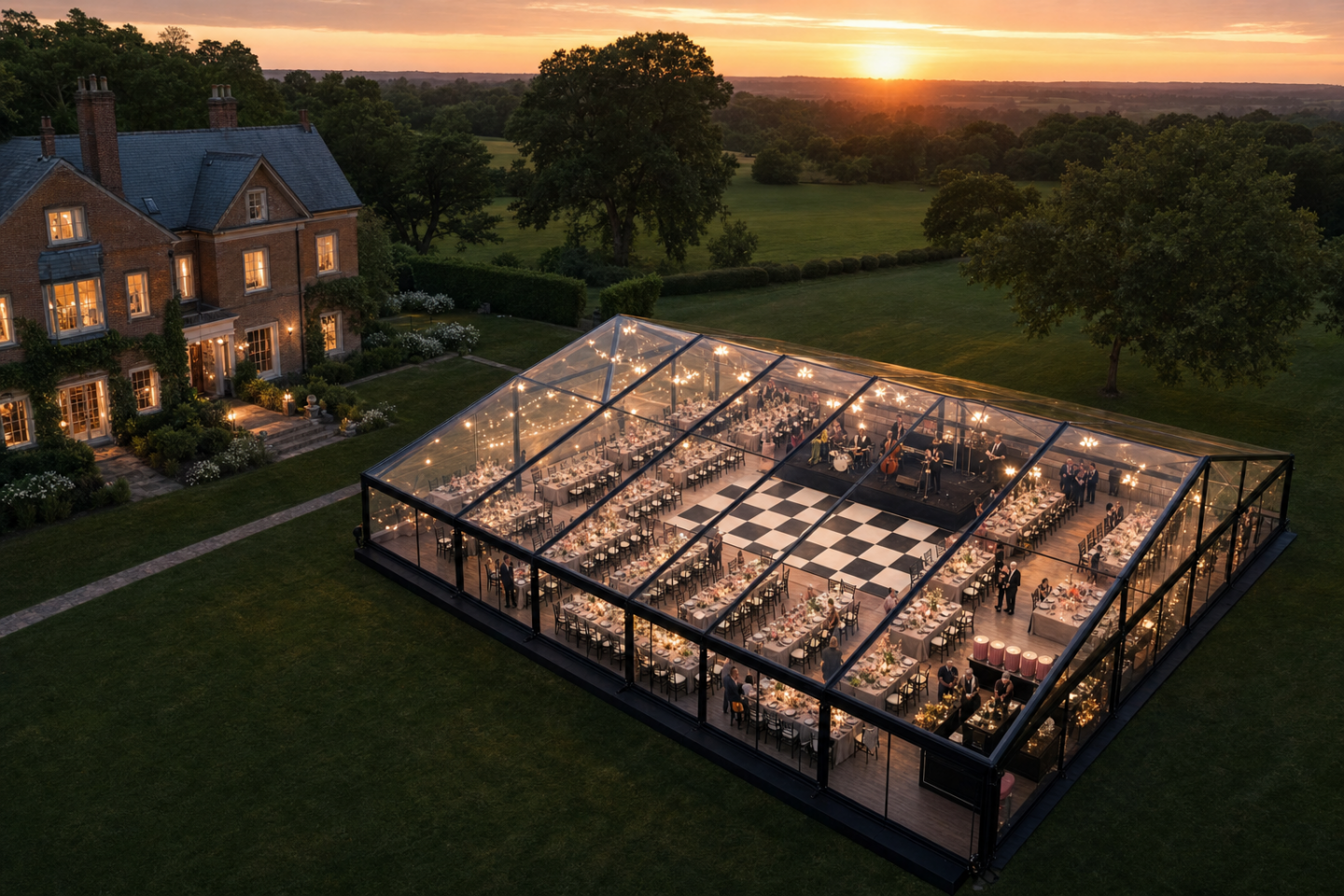
“A tented wedding reception for [guest count]. Seat [number and size of tables] with [how many] guests per table, and place the dance floor [where], the bar [where] and lounge seating [where]. [Season and time of day] — [two or three mood words].”
Notice what does the work here: the guest count, the table layout, where the dance floor and lighting sit, and the light you want. Those are the things the tool cannot guess from your product list, and they are what turn a set of selections into a room you can picture yourself standing in.
Change your mind without starting over
You do not have to regenerate a design every time you want to see something different. Once you have a render you like, adjust it. Keep everything the same but change the linen. Replace the Gold Chiavari chairs with something darker. Shift the whole palette to sage and cream. Change the time of day to sunset with warm string lights overhead. Zoom out to see the full tent with every table set the same way.
This is where the tool earns its keep on a tented event, because the questions that come up in planning are almost always comparative. Clear top or white top. Sidewalls open or closed. One long banquet run or rounds. You can look at both and decide, rather than describing the difference and hoping everyone pictured the same thing.
What a render is — and what it isn’t
June AI is a visualization tool. It is there to help you bring a vision to life and compare design concepts, and it is very good at that. What it does not do is quote your event. Pricing, availability, site requirements and whether a particular structure will actually work on your ground all come from your Account Executive, and a tented event has more of those variables than any other rental we handle. Bring us the render and we will tell you what it takes to build it.
Start designing
Open a project, drop in your venue, and see what your event looks like under canvas before you book a single thing. If you would rather talk it through first, reach out to your Account Executive — we are happy to walk you through it, or to build the first render with you.
We cannot wait to see what you design! Start here.
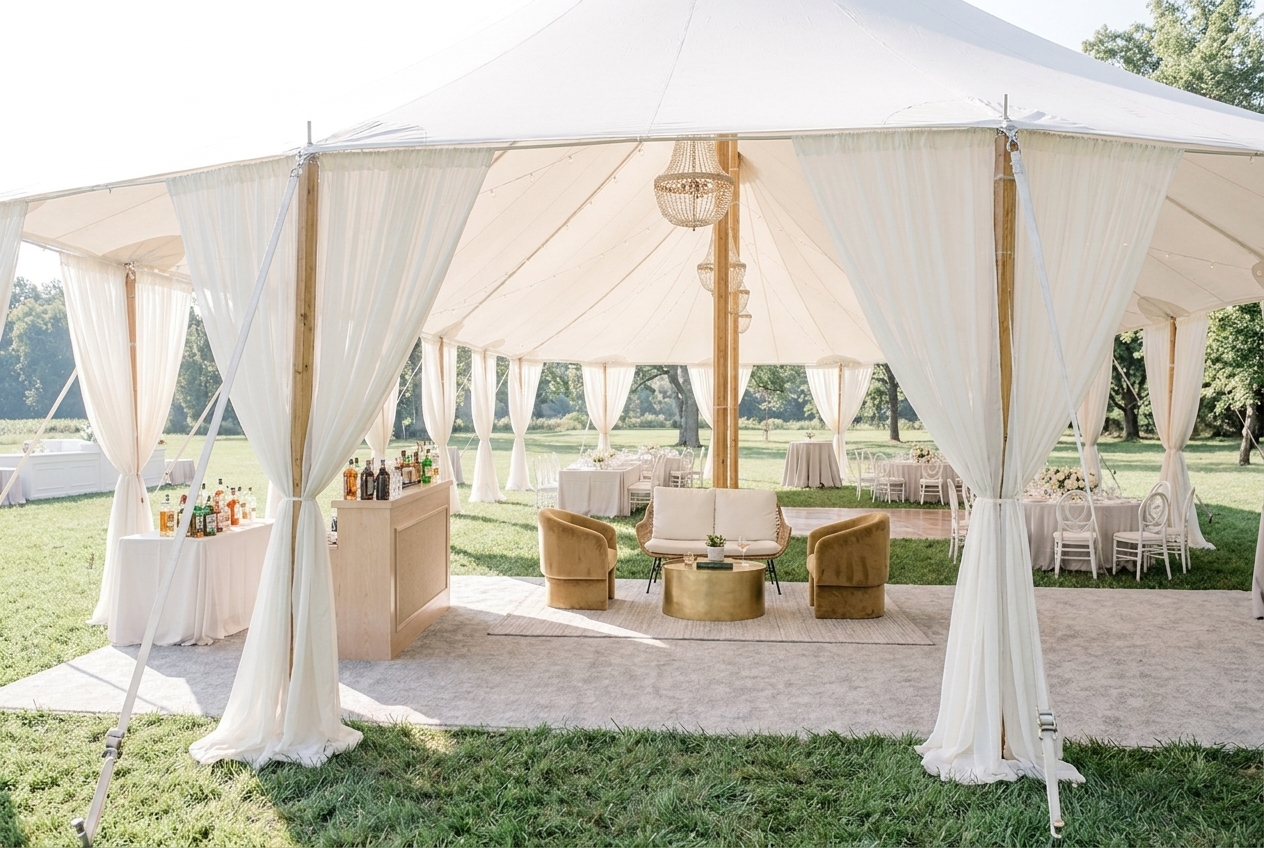
✦ AI-generated renderings are intended for inspiration and may not perfectly reflect actual products, colors, or textures. Subtle variations and modeling inconsistencies can occur. For precise details and availability, please connect with your Account Executive.
Let’s Chat!
Looking for event rentals for your Wedding, Social, or Corporate event? With branch locations throughout Maryland and Virginia, our Tents & Rentals Division is the area’s premier provider of event rentals. Not only do we offer an extensive range of tenting and event rentals, but our inventory also caters to every aspect of your event—from lighting to tabletops to curated furniture groupings. Furthermore, regardless of the scale or setting of your event, we possess the expertise and resources to ensure it’s unique. Call any of our branch locations below or fill out our Contact Us form here.
Select Event Group – Laurel
Headquarters & Processing Center
8610 Cherry Lane
Laurel, Maryland 20707
Select Event Group – Annapolis
Design Studio
By Appointment Only
1981 Moreland Parkway, Suite 4B
Annapolis, Maryland 21401
Select Event Group – Frederick
Design Studio
By Appointment Only
4614 Wedgewood Blvd., Unit C
Frederick, Maryland 21703
Select Event Group – Hunt Valley
Design Studio
By Appointment Only
16 Stenerson Lane, Unit 1-B
Cockeysville, Maryland 21030
Select Event Group – Lorton
Design Studio
By Appointment Only
8417 Terminal Road
Lorton, Virginia 22079
Select Event Group – Manassas
Design Studio
By Appointment Only
6946 Wellington Road
Manassas, Virginia 20109
Select Event Group – Rockville
Design Studio
By Appointment Only
1098 Taft Street
Rockville, Maryland 20850
Select Event Group – Savannah
By Appointment Only
1360 GA-21
Springfield, Georgia 31329
You May Also Like

Thanksgiving Table Looks Worth Gathering Around
Rentals, Linens & FurnishingsNovember 2, 2026 There’s something about gathering around a table this time of year that just feels special. The familiar faces, favorite dishes, conversations that carry on long after dessert, and all those little moments that make the holidays what they are. And while we’re firm believers that the people make the party, we also […]
Winter Solutions: Expanding Space, Comfort, and Capacity
Tents, Structures & FlooringOctober 12, 2026 As temperatures drop, many venues face the same challenge: demand remains strong, but usable space begins to shrink. Outdoor patios sit empty. Event calendars become harder to book. Hospitality areas that worked beautifully in the spring and summer are suddenly exposed to colder temperatures, wind, and unpredictable weather. But winter doesn’t have […]
Get Inspired
Remarkable Occasions Begin Here
We're excited to work with you! Simply complete the form, and one of our local Account Managers will be in touch to get your quote started!
We’re not just a provider. We’re a partner.™